
How to Keep Important Information Accessible While Traveling
Imagine losing your wallet in Rome, missing a connection at a busy airport, or watching your phone die in a city where you don't speak the language. This guide shows you how to build a simple, reliable travel information system.
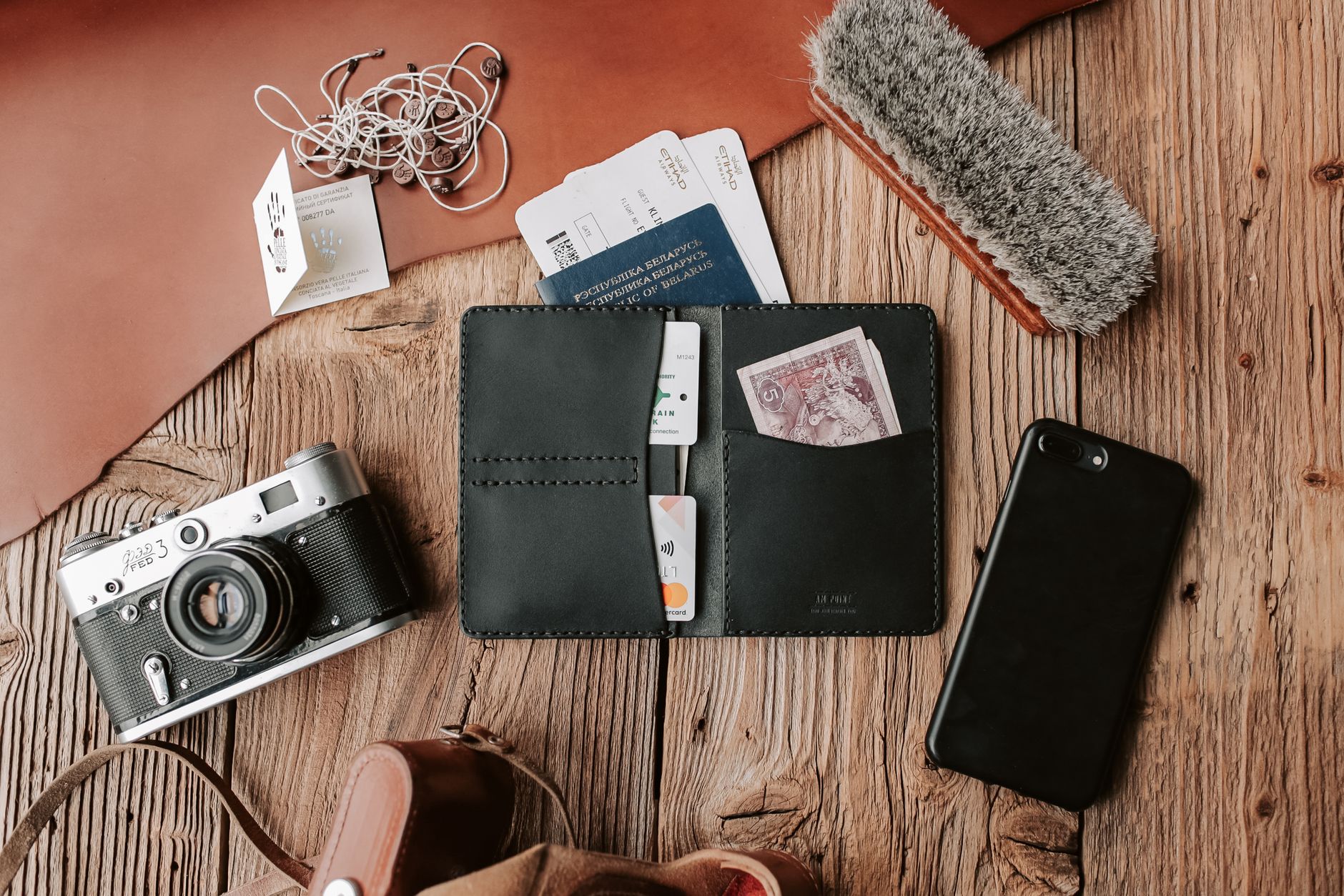
Imagine losing your wallet in Rome, missing a connection at a busy airport, or watching your phone die in a city where you don't speak the language. These moments turn quickly from inconvenient to stressful when you can't reach the information you need.
This guide shows you how to build a simple, reliable travel information system so you always have access to what matters most. You'll learn what to carry, how to back it up, and how to protect it—so a small hiccup never becomes a full emergency.
Key takeaway: Preparation isn't about expecting disaster. It's about preventing small problems from becoming major emergencies.
Why Accessible Information Can Make or Break Your Trip
Travel emergencies rarely announce themselves. One minute you're enjoying a meal, the next you're trying to remember your hotel address with a dead phone and no Wi-Fi.
When key details become inaccessible, the fallout adds up fast:
- Identity verification problems at borders or hotels
- Missed flights and lost accommodations
- Payment and banking issues when cards stop working
- Delayed medical treatment without insurance details
- A spike in travel stress that ruins the trip
The fix is a layered information system built on five parts: information on your person, secure digital backups, offline access, physical copies, and a trusted contact at home. Each layer covers the others when one fails.
What Information Travelers Should Always Have Access To
Identification Documents
- Passport details, visa information, and passports
- Driver's license and national ID cards
- International driving permits
Travel Reservations and Transportation
- Flight confirmations, airline tickets, and boarding passes
- Train, bus, and car rental documents
- Local transportation schedules
Accommodation Information
- Hotel addresses and reservation numbers
- Airbnb check-in instructions
- Backup lodging contacts
Emergency Contacts
- Family, friends, and travel companions
- Tour operators and employer contacts
Medical Information
- Allergies, medications, and conditions
- Physician details and medical device documentation
Insurance Information
- Health and travel insurance cards
- Emergency evacuation coverage
- Claim phone numbers
Financial Information
- Credit card issuer and bank contacts
- A backup cash plan and emergency payment options
Why Relying on a Single Device Is Risky
Your phone is powerful, but it's a single point of failure. Lean on it too hard and one mishap can lock you out of everything.
- Dead batteries happen — Navigation apps, translation tools, and long travel days drain batteries fast
- Lost or stolen devices — Lose your phone and you may also lose access to email, cloud storage, and two-factor authentication codes
- Internet isn't guaranteed — Connectivity fails in rural areas, underground transit, and during network outages
- Device damage and technical failures — Water damage, cracked screens, and software crashes are all common
The redundancy principle: Never rely on a single device, app, account, or storage method.
Digital Storage Options: Convenient and Secure Access
Cloud Storage Systems
Store passport scans, insurance documents, reservation confirmations, and itineraries in a structured cloud folder. Use strong passwords and two-factor authentication.
Password Managers
A password manager safely holds passport numbers, frequent flyer numbers, emergency card details, and other sensitive data in secure notes.
Travel Organization Apps
Tools like TripIt, airline apps, and your calendar can consolidate bookings into a single timeline.
Offline Access Setup
Before you leave, download boarding passes, hotel confirmations, insurance cards, emergency contacts, maps, and flight tickets. Offline copies work even when the network doesn't.
Physical Backups Still Matter
Paper saves the day at border crossings, with dead devices, lost phones, and poor connectivity.
Essential Printed Documents
- Passport copy, driver's license copy, visa copy
- Itinerary, reservations, transportation details
Create a Travel Binder or Folder
Organize with clear sections: Identity, Transportation, Lodging, Insurance, Medical, and Emergency Contacts.
Emergency Contact Cards
Carry a small card with your ICE (in case of emergency) contact, insurance hotline, embassy information, and medical alerts.
Separate Storage Locations
Don't keep everything together. Carry originals on your person, copies in your luggage, digital backups online, and leave a set with a trusted contact at home.
How to Organize Information for Fast Access
- Use consistent categories — Sort everything the same way: Identity, Transportation, Lodging, Money, Insurance, Medical, Emergency Contacts
- Create an emergency overview page — Put your most-needed details on one page: passport number, hotel address, emergency contacts, insurance information
- Use clear file naming — Name files so they're easy to search: "Flight-Confirmation-June," "Hotel-Reservation-Rome," "Passport-Copy"
Protecting Sensitive Information While Traveling
- Strong password practices — Use unique passwords, a password manager, and biometric protection
- Two-factor authentication — 2FA prevents account takeovers even if a password leaks
- Public Wi-Fi risks — Use a VPN to secure public Wi-Fi connections
- Physical security tips — Use hotel safes, internal pockets, and an RFID-blocking wallet
Preparing for Common Travel Emergencies
Lost Passport
Contact local authorities, then your embassy or consulate. Use your copies to speed up an emergency replacement.
Lost or Stolen Wallet
Freeze your cards, switch to backup funds, and use your stored bank contacts to report the loss.
Medical Emergencies
Have your medical summary, insurance information, and emergency contacts ready to share.
Flight Disruptions
Keep reservation numbers, airline contacts, and a list of alternative accommodations handy.
Family and Group Travel: Sharing Information Safely
- Create a family travel portfolio — Include passport copies, child records, insurance information, and emergency contacts
- Build in redundancy across adults — Every traveling adult should have access
- Child-specific documentation — Carry birth certificates, consent letters, vaccination records, and pediatrician contacts
Conclusion: Simple Systems Create Stress-Free Travel
Strong travel preparation comes down to having a plan in place before you leave home. When you combine physical copies, secure digital backups, offline access, and a trusted contact at home, you create a system that continues working even when technology fails or unexpected problems arise.
The goal isn't to create more paperwork. The goal is to create confidence. A few minutes of preparation today can save hours of frustration tomorrow and help you travel with greater peace of mind.
Related Posts

Travel Checklist: What Experienced Travelers Always Do Before Leaving Home
20 min read
Complete Emergency Binder Guide: How to Protect Your Family's Vital Information
8 min read

Why Family Organization Improves Relationships: The Hidden Link Between Organization and Healthy Family Relationships
7 min read